Help Article
Digital Signature Types
MetaField Mark

MetaField offers various digital signature types to help you control how a document is finalized and signed via MetaField Mark. The following options are available for your forms:
- None: No Signature
- Simple – Sign: Add Signature images without digital certificate of authenticity. Provides a fast and simple process for completing reports.
- Simple – Seal: Add PE Stamp image without digital certificate of authenticity. Provides a fast and simple process for completing reports.
- Certified – Sign: Add Certified Signature image for reports with higher compliance standards.
- Certified – Seal: Add Certified PE Stamp image for reports with higher compliance standards.
- Signature Block: Creates a signature line with subtext for users to print the report and physically sign.
Signature Notes for Field, LIMS, and Final Reports
MetaField allows you to create signature notes for Field, LIMS, and Final Reports. You can use these dynamic placeholders to customize your note to display the information you'd like on each report type:
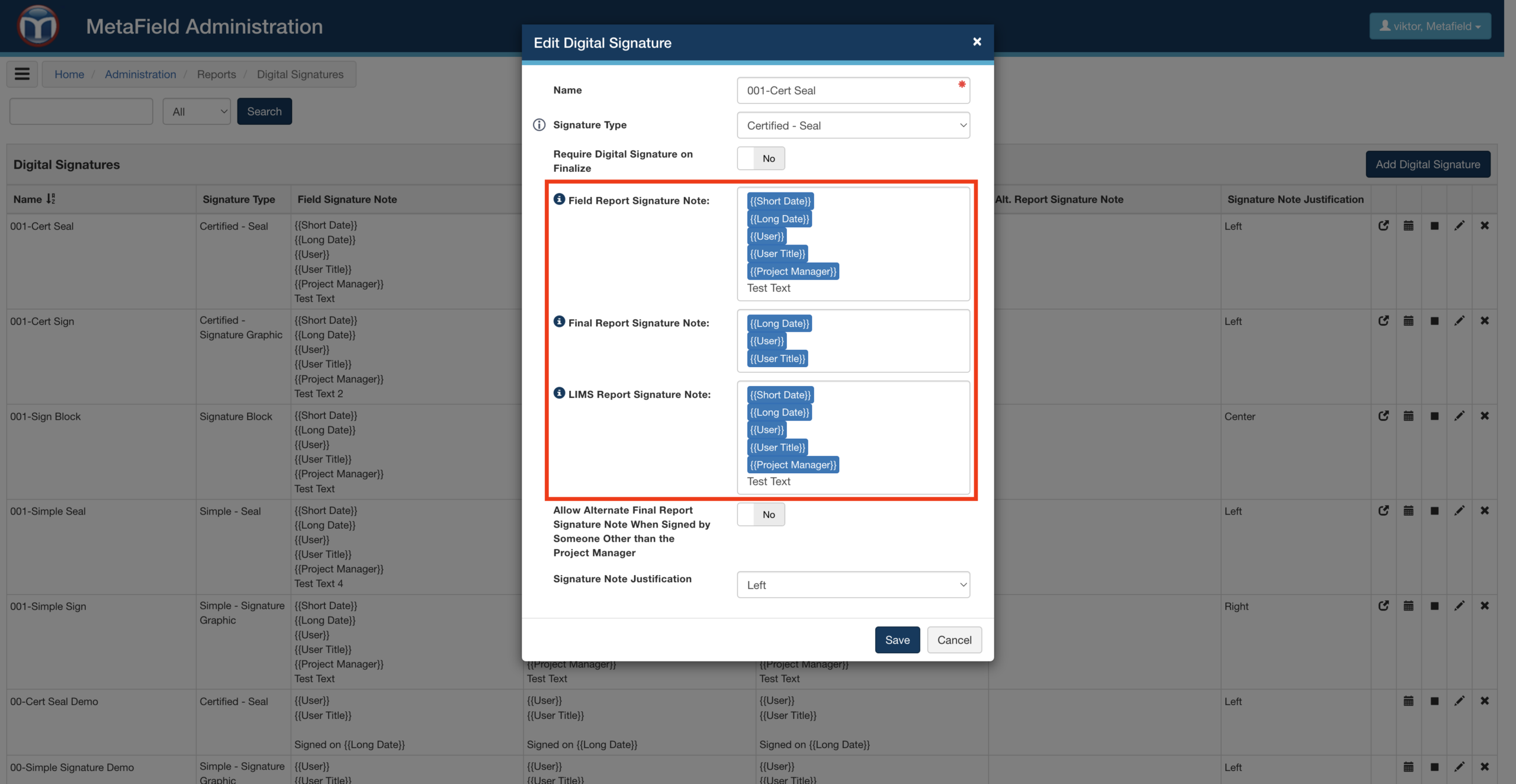
Field Report Dynamic Placeholders
- {{Short Date}} - MM/DD/YYYY
- {{Long Date}} - MMM DD, YYYY
- {{Project Manager}} - First Name Last Name
- {{User}} - Signature Name / First Name Last Name
- {{User Title}} - User's Title
Final Report Dynamic Placeholders
- {{Short Date}} - MM/DD/YYYY
- {{Long Date}} - MMM DD, YYYY
- {{Project Manager}} - First Name Last Name
- {{User}} - Signature Name / First Name Last Name
- {{User Title}} - User's Title
LIMS Report Dynamic Placeholders
- {{Short Date}} - MM/DD/YYYY
- {{Long Date}} - MMM DD, YYYY
- {{Project Manager}} - First Name Last Name
- {{User}} - Signature Name / First Name Last Name
- {{User Title}} - User's Title