










































MetaField is the industry-leading software for geotechnical engineering, construction materials testing, and inspection firms across the U.S. and Canada that brings field data collection, lab testing, and reporting into one easy-to-use system.
How a project moves through MetaField
MetaField is an all-in-one platform that covers every step of your workflow — from project setup and scheduling to data collection and reporting — accessible on any device, anywhere.

Project
Management

Scheduling
& Dispatch

Field Inspection
& Testing

Lab Testing &
Management

Review
& Deliver

Invoicing
& Billing
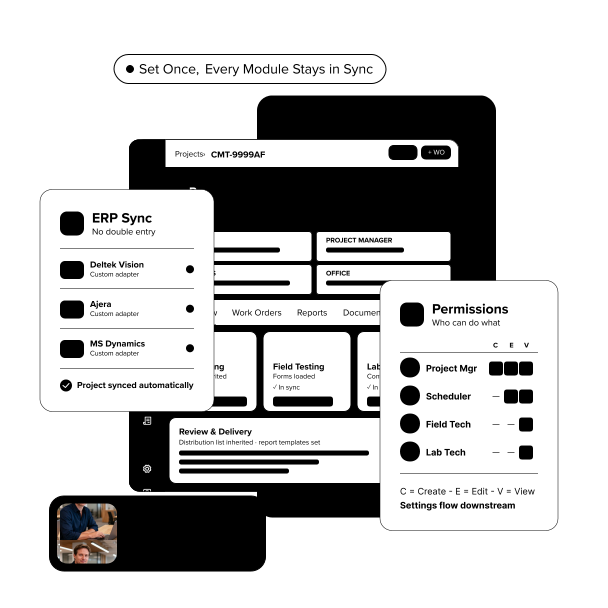
Every project is set up with the right details and controls
Projects are set up with the details, requirements, and workflows needed for the job. Configurable workflows and permissions ensure the right people see the right information and complete work correctly.
These details carry through every step, keeping teams aligned. A customizable home screen gives project managers a single place to keep work organized and on track.

Granular user permissions: Control access so users only see what's relevant to their role, location, and responsibilities.
Configurable workflows: Adjust specs, contacts, and requirements to match each project's needs.
Customizable home screens: Tailor dashboards with key data so project managers can quickly track status and progress.
Your scheduler runs dispatch from a single, comprehensive view
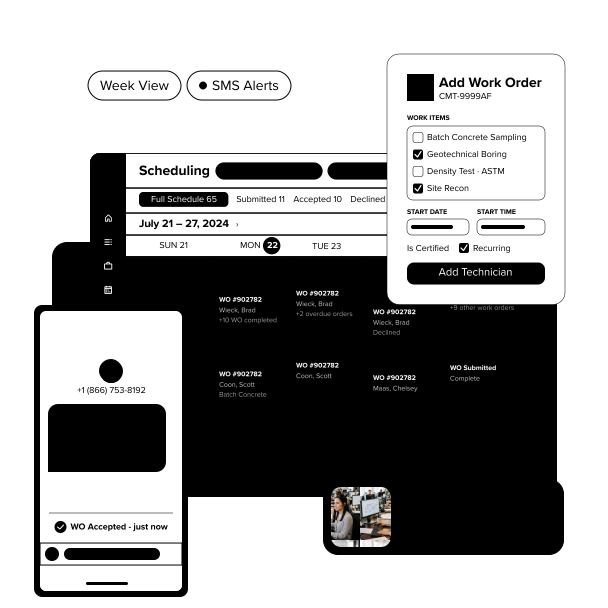
Schedulers gather project details and create work orders within the scheduling module. They can filter by certifications and project history to quickly find qualified field staff.
Once assigned, field staff receive work orders, project details, and required forms via SMS or email. Schedulers get real-time alerts when work is accepted, rejected, or canceled, so they always know the status.
Centralized scheduling: See real-time staff availability in one place to create, assign, and manage work orders.
Qualification filtering: Assign staff based on availability, certifications, and project history.
Automated alerts: Send real-time updates to field staff and get notified when work is accepted, rejected, or canceled.
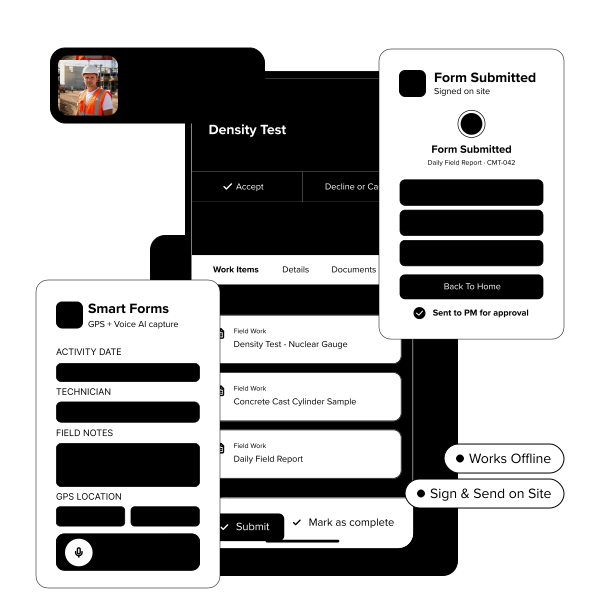
Your field staff receive all project details, record every result, and submit findings from the field
Field staff use the MetaField app to view work orders and project details on their phone or tablet. Tests and inspections—like concrete breaks, boring logs, and soil samples—are captured digitally using forms aligned with ASTM, AASHTO, DOTs, and more.
MetaField flags outstanding work and retests so nothing is missed. Once complete, results flow to the lab or into reports that can be reviewed, signed, and sent to project managers before leaving the site.
Mobile data capture: Input data from any smartphone or tablet—via app or browser—even when offline.
Smart forms: Capture data with industry-standard forms that include GPS locations, validations, and talk-to-text.
Sign from the field: Digitally sign reports on-site and send them for PM approval before leaving.
Your lab staff track samples and run tests with complete, connected data
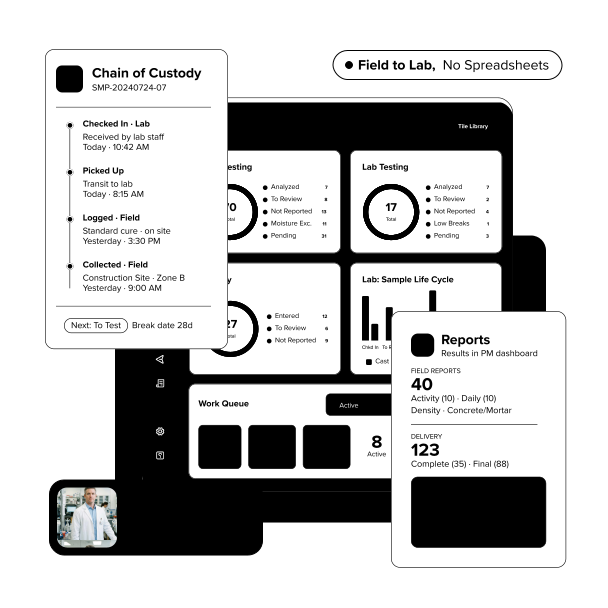
When field staff log a sample, the chain of custody begins immediately. By the time it reaches the lab, sample ID, project details, and required tests are already in MetaField—no tracking down information or re-entering data.
Lab staff schedule tests and record results in the same system. Once complete, results flow directly into reports, keeping everything organized without spreadsheets, emails, or paper handoffs.
Chain of custody: Track samples from collection through final testing with full visibility.
Comprehensive lab testing: Access and manage all the lab tests you need to support accurate reporting.
Pre-populated reports: Results flow directly into reports and are automatically routed for PM review and approval.
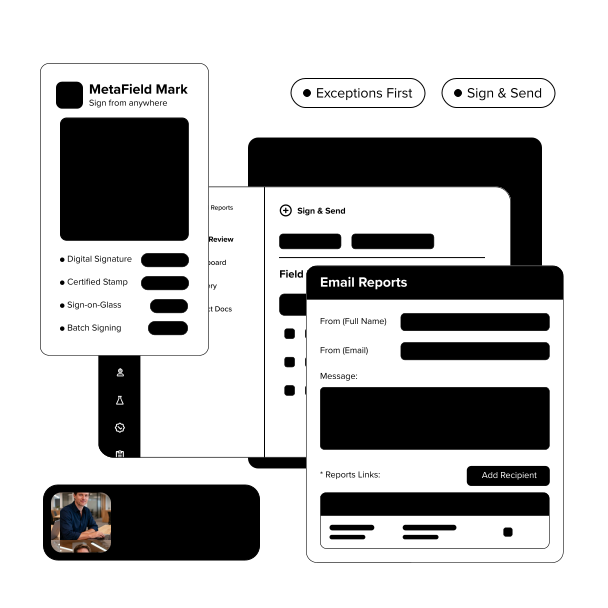
Your PMs flag priority items, sign and send reports to clients from the platform
Field and lab data flow into MetaField’s Review module, where project managers can review reports and findings in one dashboard. Items needing attention are flagged, so issues can be addressed quickly without searching for missing information.
Once approved, reports can be digitally signed and sent to clients directly from the platform via email or a secure portal.
Exception-based management: Items requiring immediate attention are flagged and prioritized over other tasks.
Digital signatures: Sign, stamp, and approve reports from anywhere without leaving the platform.
Client portal: Share project details, results, and reports through a secure portal that clients can access anytime.
Your billing team creates accurate invoices with complete field and lab data
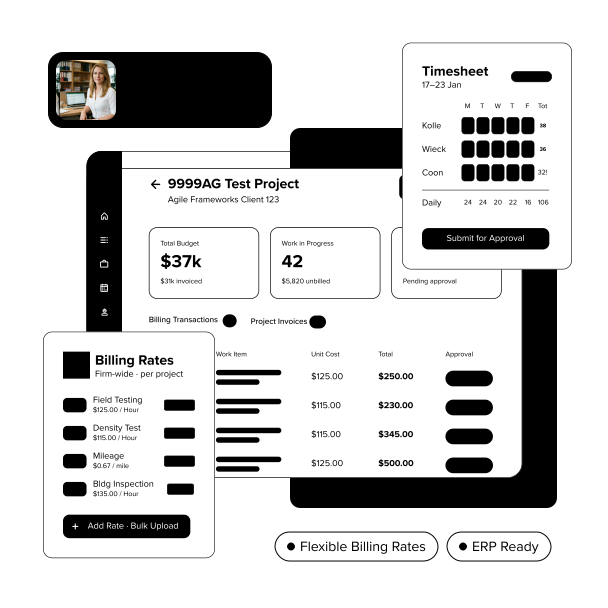
MetaField logs work in real time, creating a clear, accurate record of every activity. Each line item ties back to the work order, field staff member, and test performed.
With all data in one place, billing teams can generate accurate invoices without reconciling spreadsheets or chasing down missing information. Invoices can be created and sent quickly, or synced directly with ERP or financial systems through built-in integrations.
Flexible billing rates: Set firm-wide billing rates and adjust them as needed to fit each project.
Invoice creation: Create accurate invoices using billable activity recorded at the time of the work.
In-house integrations: Connect MetaField with your ERP or financial systems to keep data accurate.

The most secure platform in the industry, protecting your data at every level.


MetaField adapts to your firm's size, structure, and complexity. Configure workflows, forms, and approval chains to match how each office and discipline operates.
By Discipline
By Size
Customer Testimonial

David Rockwell
Special Operations, Catawba
Valley Engineering and Testing

Support, technology, and expertise you can rely on


