Help Article
Lifecycle of a Safety Record

Purpose
Safety records are flexible tools for collecting and reporting safety data across your organization. To get started, an Administrator must first configure a safety form in the Admin module. Once this form is built, users can access and fill it out to generate safety records.
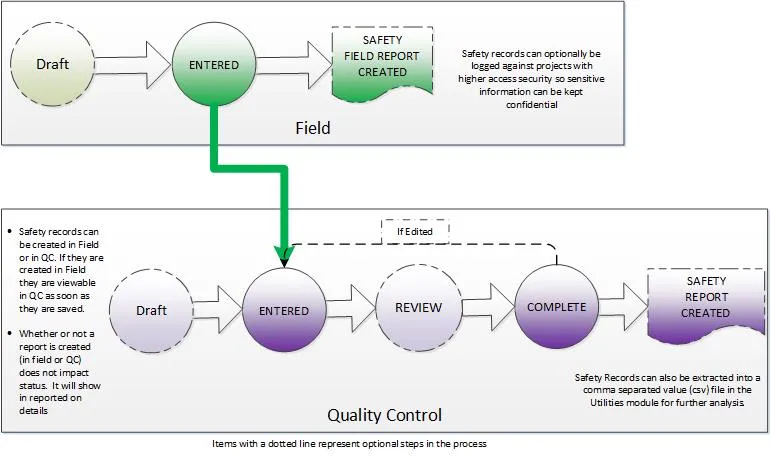
The graphic below illustrates the steps a Safety record follows when created in the Field or Review (QC) modules, including optional steps like generating safety reports.
For Field Users
Safety records can be created in the Field module and saved as Draft or completed. Field users can also generate safety reports containing one or more records.

For Review (QC) Users
Safety records appear in Review (QC) as soon as they’re created. These records can also be created from directly within Review (QC) for more complex forms or entries.
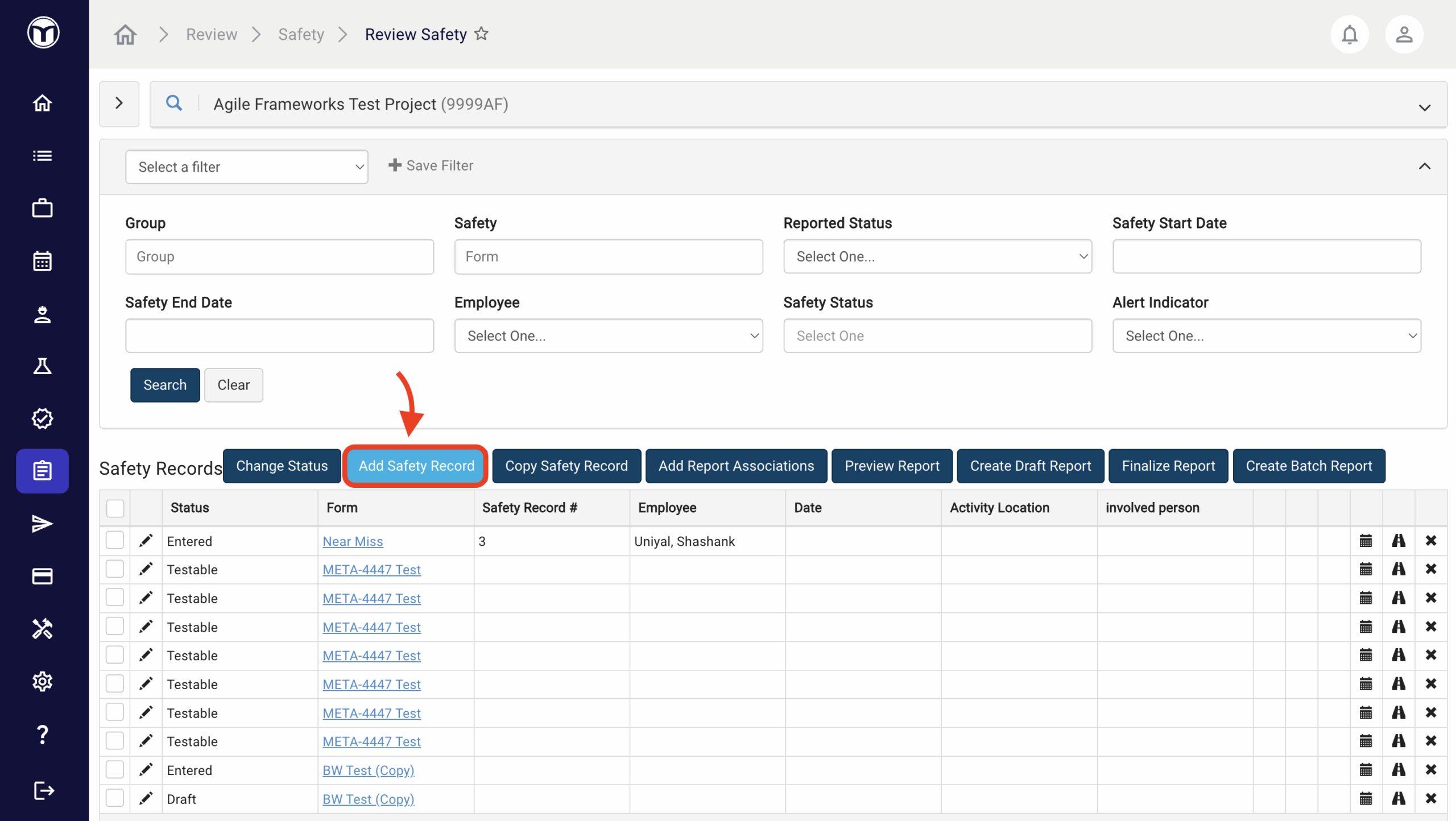
Review (QC) users may optionally mark records for Review to flag them. Once reviewed, records should be set to Complete status to create a safety report. Editing a record returns it to Entered status.

For Dashboard Users
The Dashboard module displays the number of records with the Entered and Review statuses. The Not Reported status helps track which safety records still need to be reported, while the Alert status can flag safety records that require additional attention or follow-up. Clicking the Project Number link will open these records in Review (QC).

Want to keep learning?
Click here for more how-to articles and MetaField guides. You can also access in-app guidance using the Help Desk!